

Table of Contents
Why Wireless Keypads and Remote Programming Matter for Portland Families
I’ve helped countless Portland families solve one of the most frustrating problems: standing in the rain without a garage door remote that works. Whether you’ve just moved into a home in Laurelhurst or you’re upgrading your system in the West Hills, knowing how to program your wireless keypad and remote properly can save you from getting soaked during Oregon’s rainy season.
Our team at ETS Garage Door Of Portland has programmed thousands of keypads and remotes across Multnomah County. I’m sharing the exact steps we use so you can handle this simple task yourself and regain access to your garage quickly.
What You Need Before Programming Your Wireless Keypad
Most wireless keypad programming requires three basic items: a stable ladder, your garage door opener’s model number, and the manufacturer’s instructions. The model number is typically located on the back of the opener unit hanging from your garage ceiling.
Different brands have different programming sequences. LiftMaster, Chamberlain, and Genie are the most common systems we service in Portland, and each has unique button combinations. Never assume all keypads work the same way, because forcing the wrong sequence can lock you out temporarily, similar to how Getting Locked Out Of Your Garage After Midnight can leave you stranded outside.
How Do You Program a Wireless Keypad to Your Garage Door Opener?
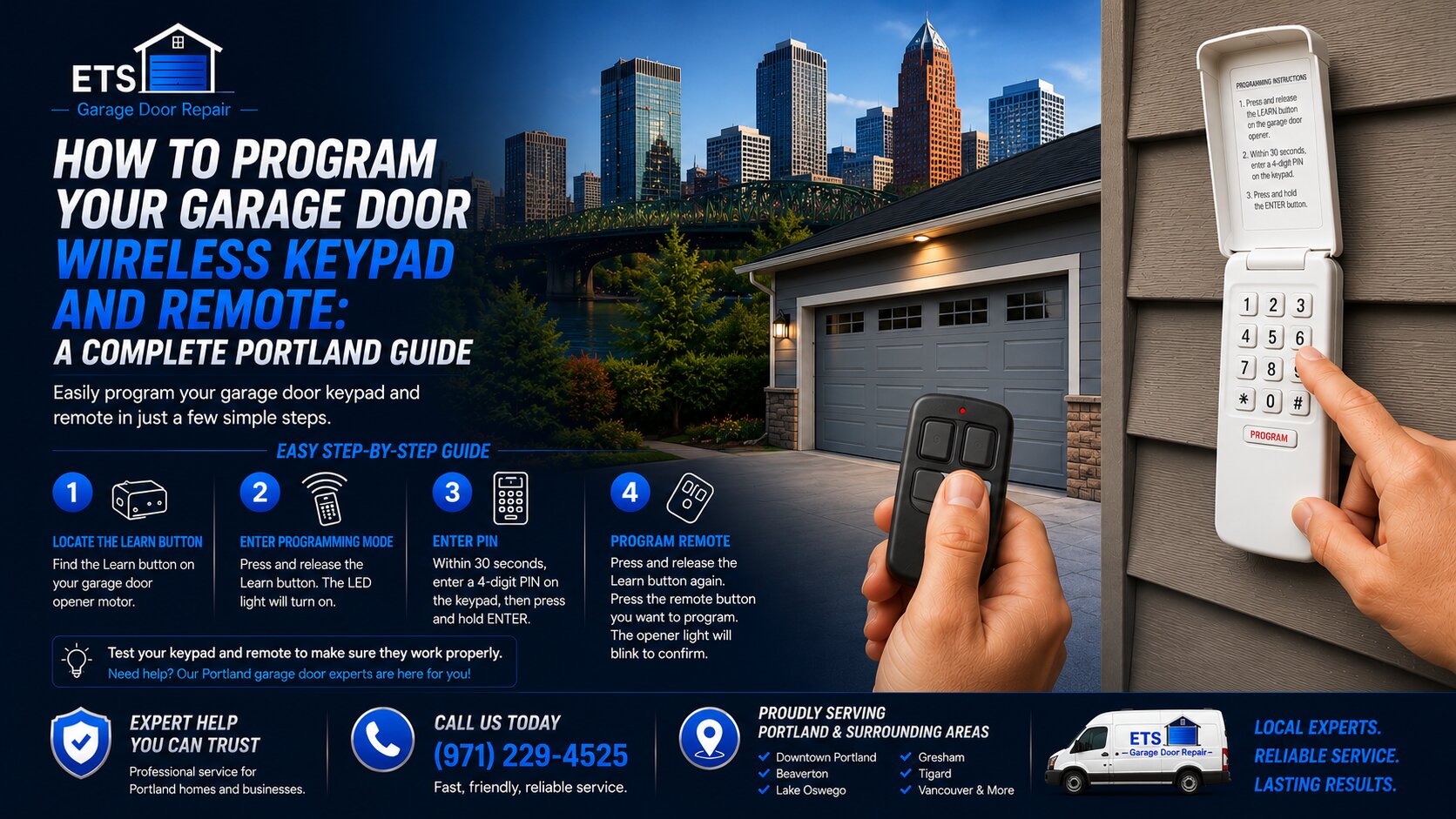
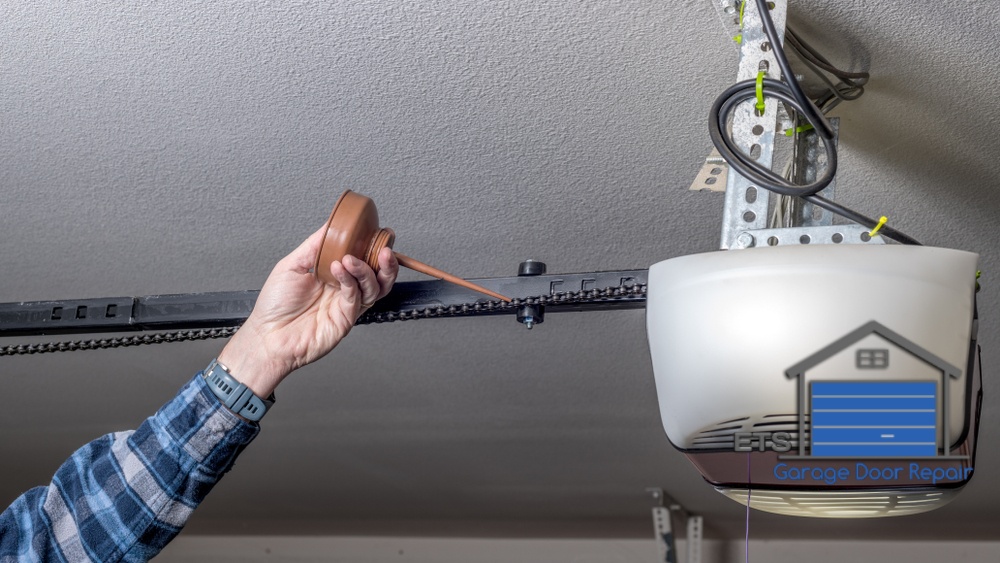
Programming a wireless keypad takes about two minutes once you know the correct sequence. Start by locating the “Learn” button on your garage door opener motor unit, which is usually a colored button (purple, yellow, or orange) on the back or side panel.
Here’s the standard programming process we use for most modern systems:
- Press and release the “Learn” button on the opener unit. An indicator light will turn on for about 30 seconds.
- Within those 30 seconds, enter your desired 4-digit PIN on the wireless keypad mounted outside.
- Press and hold the “Enter” or “Program” button on the keypad until the opener lights blink or you hear a click.
- Test the keypad by entering your new PIN and pressing Enter.
If the door doesn’t respond, check that the keypad battery is fresh. Pacific Northwest humidity can drain batteries faster than in drier climates, and I replace dozens of keypad batteries every month for this reason.
Programming Handheld Remote Controls: The Quick Method
Handheld remotes follow a similar process but require you to hold buttons simultaneously. After pressing the “Learn” button on your opener unit, immediately press and hold the button on your remote for about three seconds until the opener light blinks.
Some newer models allow you to program multiple remotes at once. If you have family members who need separate remotes for cars parked in the Pearl District or Beaverton, you can program up to eight remotes on most modern systems without erasing previous codes.
One tip I always share: label your remotes with a small piece of tape indicating which opener they control if you have multiple garage doors. This prevents confusion when you’re rushing out on a rainy morning, especially when Your Garage Door Weatherstripping Needs Replacement and you’re dealing with rain entering your garage.
Troubleshooting Common Portland-Area Programming Issues
The biggest programming failure I see involves homeowners not pressing the “Learn” button quickly enough. That 30-second window is firm, and in cold Oregon winter temperatures, older opener units sometimes need a second attempt to register the signal properly.
If your keypad won’t program after multiple attempts, check for these common problems:
- Dead or weak batteries in the keypad (replace annually in our wet climate)
- Dirt or moisture blocking the keypad sensors
- Interference from nearby wireless devices or metal siding
- An outdated opener that doesn’t support rolling code technology
Rolling code technology changes your access code each time you use the remote, which prevents code grabbing by thieves. Most openers manufactured after 2011 include this feature, and it’s standard on every system we install through ETS Garage Door Of Portland, Oregon CCB #218035.
Should You Choose a Battery Backup Keypad for Power Outages?
Yes, battery backup keypads are worth the small upgrade cost in Portland. We experience occasional ice storms and power outages that can leave you stranded outside your garage, and a battery-powered keypad continues working even when your home loses electricity.
The investment is minimal compared to the frustration of being locked out during a January storm. I’ve installed these upgraded keypads throughout Lake Oswego and Clackamas, and homeowners consistently tell me they’re grateful during unexpected outages, especially when they need to access essential Garage Door Parts stored inside.
Let Our Portland Team Handle Your Garage Door Access Needs
Programming wireless keypads and remotes should be straightforward, but older systems and compatibility issues can create headaches. If you’ve followed these steps and still can’t get your keypad or remote to work, the problem might be with your opener’s receiver board or a more complex electrical issue.
Our team at ETS Garage Door Of Portland has been serving families across the Portland metro area for years, and we can diagnose and fix programming issues quickly. Whether you need a new keypad installed, a complete opener upgrade, or just can’t figure out why your remote stopped working, we’re here to help with everything from Garage Door Drums Repair And Replacement to keypad programming. Give us a call, and we’ll make sure you have reliable access to your garage no matter what Oregon’s weather throws at you.
Company: ETS Garage Door Repair Of Portland
License: Oregon CCB #218035
Primary Service Hub: Portland, Multnomah, OR 97239
Immediate Support Line: (971) 229-4525
Core Service Coverage: Multnomah, Clackamas, Washington, Marion, and Lane Counties



Leave A Comment